Using CometMarks with IE
To start CometMarks Manually
If you didn't set CometMarks to start with Windows, you will have to start CometMarks manually. Please note that the only shortcut to CometMarks is in the Start menu, but you can create other shortcuts as you like.

CometMarks Notepad
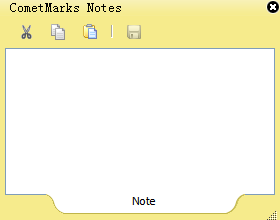
CometMarks also have a notepad for you to make some real-time notes. Double-click the CometMarks icon in the notification area, a small note window will pop-up. CometMarks will automatically save the last change you made on the notepad.
CometMarks Settings
There are two ways to change your CometMarks settings.
-
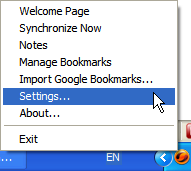
1)* Click CometMarks icon in the notification area and select "Settings", then login to change the settings.\
-
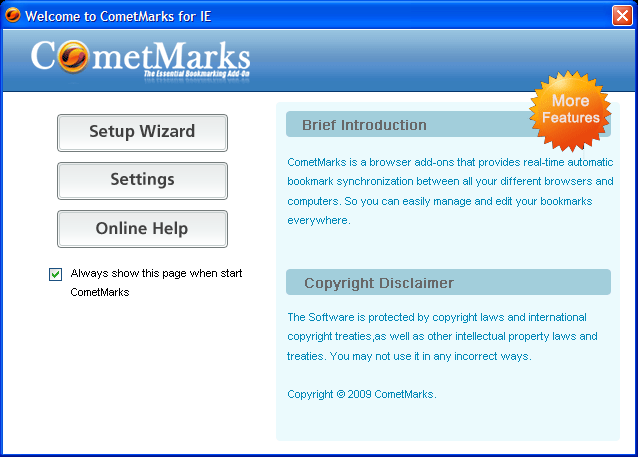
2)* Change settings in the welcome page\ If you start CometMarks Manually as mentioned above, you will be redirected to the welcome page, it allows you to change your settings or get online help.\
If you want to stop CometMarks temporarily, go to "Settings" to clear your username and password then click "OK". CometMarks will be inactive until the next time you log in.\ 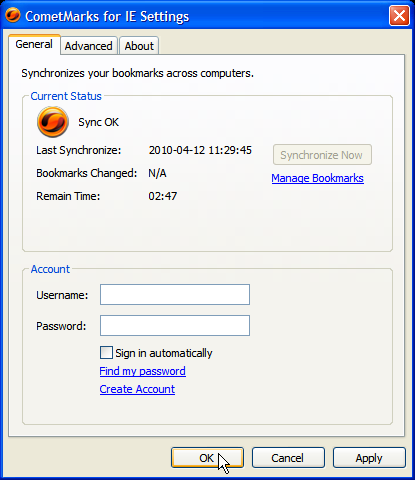
Organising BookMarks
- Click the Favorite menu in IE and select "Organize favorites", then manage your bookmarks in the pop-up window.
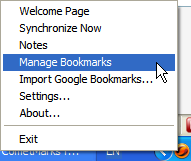
- Right-click CometMarks' icon in the notification area and select "Manage Bookmarks", then you will be directed to My CometMarks to organise your bookmarks online.